From Weeks to Hours: How AI Accelerated Our Data Transformations

A developer opens the visual logic editor, clicks into a node, and freezes. Raw JSON on one side – deeply nested objects, arrays inside arrays, naming conventions that make no sense. Target model on the other. And in between: a blank field waiting for an expression they’re not sure how to write.
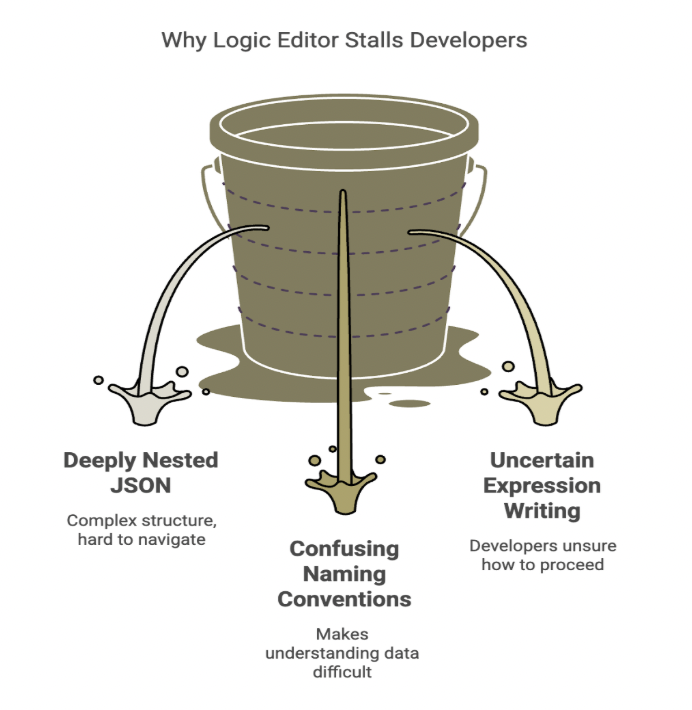
This should be the “easy” part. We’ve already moved past shipping full code changes for every tweak. We’ve already built a visual interface where logic is drag-and-drop. And yet, that blinking cursor is still a problem: a blank canvas where good intentions go to stall.
We’d already cut delivery time from 2 months to 2 weeks. But this last mile was still slowing teams down.
This post is about how we closed that gap, and why we built Scouty.
What is Scouty?
An AI assistant embedded inside our visual logic editor. It helps developers (and even non-developers) write production-ready expressions by grounding answers in a library of validated patterns. Teams ship faster with fewer syntax errors.
The Challenge: When “No-Code” Still Has a Learning Curve
Before: Code Changes for Everything
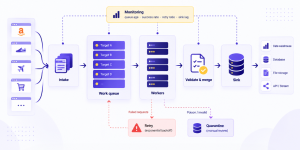
Our system scrapes data from provider sources and transforms it into a standardized format, similar to how a web data parser turns large volumes of raw web data into consistent, structured outputs ready for downstream systems. For a long time, that transformation logic lived in .NET code. Every small adjustment – a renamed field, a new nesting level, an edge-case market – meant a rebuild, a redeploy, and a real timeline.
These transformation challenges become even more important in modern web scraping, where data from constantly changing sources needs to be collected, structured, and delivered reliably at scale.
Delivery was slow: anywhere from weeks to months per change. If a provider shipped a subtle schema update on Friday afternoon, the whole pipeline felt it.
The First Leap: A Visual Editor
Then came a big step forward: a visual logic editor where users build transformation logic using drag-and-drop nodes. No more writing code for every change. What used to take weeks now took days.
That was the first acceleration.
The New Bottleneck: A Custom Expression Language
But there was a catch. The new capability under the hood was a custom expression language, written in RUST, that powers those transformations. It’s fast, safe, and side-effect-free. But for humans, it introduced a real learning curve.
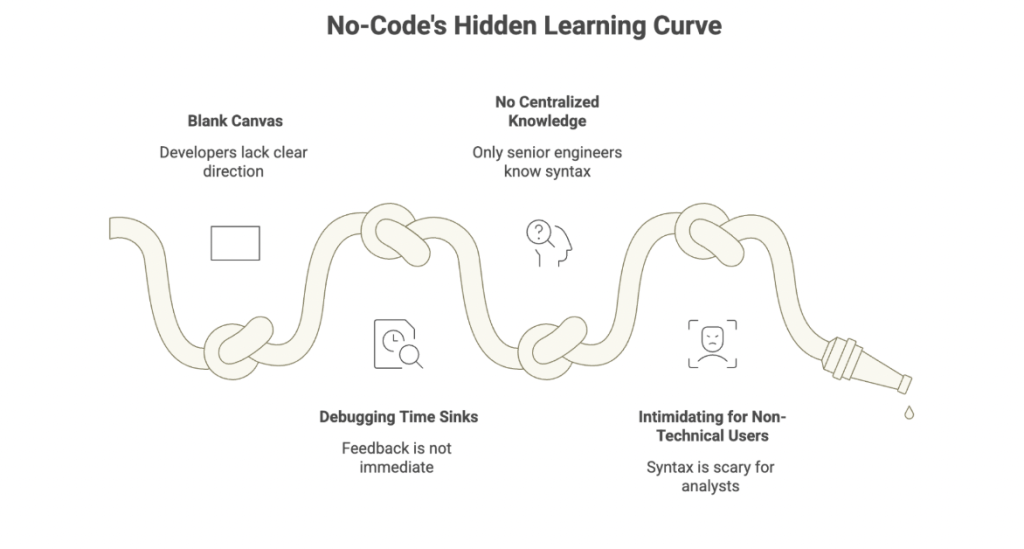
The pain got specific:
- The blank canvas problem – developers staring at empty fields without a clear “first move”
- Debugging time sinks – especially when feedback wasn’t immediate
- No centralized knowledge – only a handful of senior engineers really knew the syntax
- Intimidating for non-technical users – Business Analysts found the syntax scary, even for simple logic
We’d made a huge leap forward and then hit a new bottleneck. The editor was fast, but writing expressions in it wasn’t. We needed a second acceleration.
Our Approach: Why AI, and What “Good” Needed to Look Like
Why Not Just Train Everyone?
We had a choice. We could keep training everyone until the expression language “clicked,” or we could meet users where they actually were: in the middle of their work, trying to ship quickly, with real provider data in front of them.
We chose the second option: an AI assistant. Not a generic chatbot, but a tool with a specific mission:
- Lower the barrier to entry for writing expressions
- Democratize expert knowledge (make battle-tested patterns available to everyone)
- Reduce time-to-first-working-expression dramatically
- Ground responses in pre-validated patterns to reduce syntax errors
What We Didn’t Want
We also knew the main risk: an assistant that confidently outputs “almost-correct” code that looks right but fails in production. AI will still make mistakes – that’s unavoidable – but we wanted to minimize the most frustrating kind: syntax that’s close but not quite valid.
So our design principles became clear:
- Context-aware by default – no copy-pasting configs into a chat window
- Grounded in tested examples – every pattern in the knowledge base is validated against real execution
The Model Pivot
We started with Google Gemini for generation. It was fast and convenient, but we hit three issues we couldn’t ignore:
- It hallucinated too often (producing invalid syntax)
- It sometimes ignored system prompt instructions
- Response times were too slow for the workflow (30+ seconds for simple requests)
So we pivoted. We kept Gemini for embeddings and moved generation to Anthropic Claude Sonnet. It proved more reliable for instruction-following and valid output.
The decision wasn’t about picking a trendy model. It was about choosing the model that behaved best for our constraints and our users.
How Scouty Works: AI That Doesn’t Feel Like an Extra Step
Embedded, Not Separate
Scouty lives inside the visual editor, not beside it.
Instead of asking users to explain their context – which node they’re in, what the input looks like, what fields exist – Scouty already knows. It’s embedded directly into the nodes where expressions get written. Users open it by hovering or clicking where they’re already working.
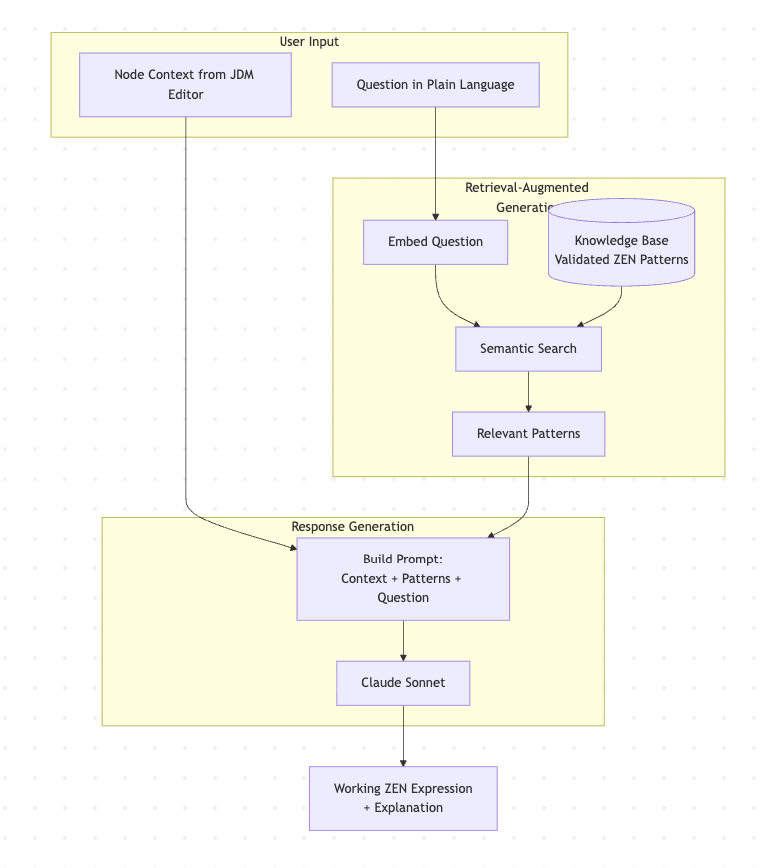
No copy-paste. No tab-switching. The assistant automatically ingests the node’s current configuration and uses that as part of the prompt.
How RAG Powers the Responses
Under the hood, Scouty uses RAG (Retrieval-Augmented Generation). Think of it like a senior engineer who doesn’t answer from memory alone. Before responding, they quickly pull up the most relevant internal examples, past fixes, and known-good patterns, then explain the solution in context.
Why does this matter?
- The expression language is strict – functions are specific, syntax is precise, and we can’t afford “creative interpretations”
- Grounding means faster results – users get working expressions without trial-and-error or debugging AI hallucinations
The Knowledge Base
The patterns in Scouty’s knowledge base aren’t just examples pulled from documentation. Each one was tested against the actual execution engine to verify it produces valid and expected output.
When the AI generates a response, it’s adapting syntax that already works – not inventing new syntax.
The knowledge base covers the operations people actually use every day:
- Array operations
- String manipulation
- Date handling
- Conditional logic
This turns “tribal knowledge” into something searchable, teachable, and reusable.
For cases where you need to verify an expression before deployment, the editor’s built-in test runner lets you execute expressions against sample data directly.
What the Workflow Looks Like
A typical interaction:
- Open a logic flow in the visual editor
- Click into a node
- Scouty opens automatically with node context included
- Ask a question in plain language
- Get an expression grounded in tested patterns + explanation + example I/O
Two Main Scenarios
Debugging an Existing Expression
A developer has something written, but it’s failing on edge cases or returning null unexpectedly. Scouty helps diagnose what’s happening and suggests a safer pattern based on similar cases in the knowledge base.
Creating a New Expression from Scratch
This is the big one: the blank canvas moment.
Example: a user selects a nested JSON field and asks:
“How do I extract the home team name from this nested JSON?”
Scouty responds with:
- the approach (in human terms)
- a valid expression
- example input/output
- a short explanation of the pattern used (so you learn, not just copy)
That’s what makes it effective: it doesn’t just output code. It compresses the time between intent and working logic by anchoring responses to patterns that already work.
Results and Impact: Faster Delivery, Shared Knowledge
We built Scouty to reduce friction, but the impact shows up in outcomes.
The Numbers
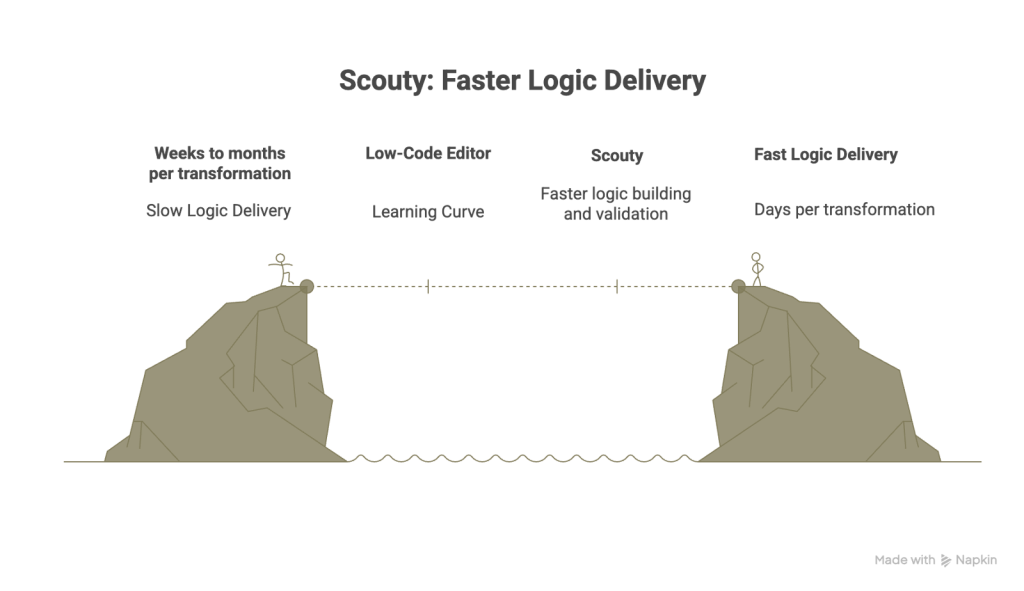
Delivery time dropped by another 30-40% on top of the visual editor’s gains. Here’s the full journey:
- Before the visual editor: weeks to months per transformation (code changes, deployments, iterations)
- With the visual editor: days – a massive improvement, but still bottlenecked by expression authoring
- With Scouty: faster still – teams build and validate logic directly, asking questions in plain language instead of wrestling with syntax
The Qualitative Wins
- Expert knowledge is centralized – patterns previously held by a few experts are now accessible to the entire team
- Non-technical users can contribute – Business Analysts create expressions independently without feeling locked out
- Fewer syntax errors from the start – pattern-grounded generation means less trial-and-error debugging
What We Learned
A few takeaways that might help if you’re building something similar:
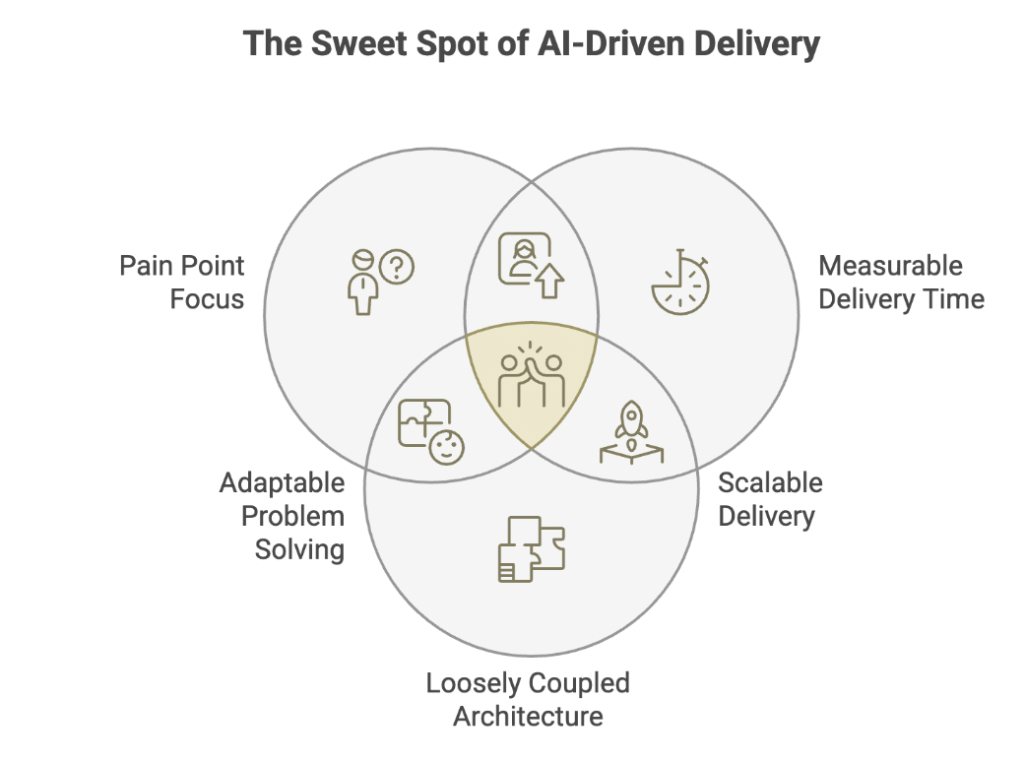
Start with the pain point, not the technology – We didn’t set out to “use AI.” We set out to solve the blank canvas problem. AI was a means to an end.
Measuring delivery time, not just user satisfaction Satisfaction surveys are nice, but delivery time is what the business cares about. The measurable reduction spoke louder than any feedback form.
Keep your architecture loosely coupled – The AI space moves fast. Providers change, APIs evolve, better options emerge. If your system is tightly bound to one vendor or one approach, adapting becomes expensive. Build in layers you can swap.
What’s Next
Scouty started by solving one painful, repeatable problem: helping people write correct expressions inside our visual logic editor.
In 2026, we’re planning:
- AI-Assisted Flow Generator – generate entire logic flows from sample input/output pairs
- Versioning and Rollback – database storage with history
- Expanded use cases – move beyond expressions to broader transformation assistance
That blank field? It’s still there. But “not sure how to write” has become “ask in plain language.” What took hours of trial-and-error now takes minutes. The blank canvas isn’t intimidating anymore. It’s an invitation.
Frequently Asked Questions About AI-Powered Data Transformation
Learn how Bringits uses AI, RAG, and validated transformation patterns to accelerate data workflows, reduce syntax errors, and make complex data transformations easier to build and maintain.
What is Scouty and how does it help with data transformations?
Scouty is an AI assistant embedded directly into Bringits’ visual logic editor. It helps developers and non-technical users create production-ready expressions using natural language, while grounding its responses in validated transformation patterns.
How does RAG improve Scouty’s AI-generated responses?
Scouty uses Retrieval-Augmented Generation (RAG) to retrieve relevant internal examples, previous solutions, and tested patterns before generating an answer. This helps produce more reliable expressions and reduces syntax errors and AI hallucinations.
How much did AI reduce data transformation delivery time?
Adding Scouty reduced delivery time by an additional 30–40% after the improvements already achieved with the visual editor. The overall process evolved from transformations taking weeks or months to workflows that can be built and validated much faster.
Why did Bringits switch from Gemini to Claude Sonnet for AI generation?
Bringits initially used Gemini for generation but encountered issues with hallucinations, instruction-following, and response times. The team moved generation to Claude Sonnet because it provided more reliable instruction-following and valid output, while continuing to use Gemini for embeddings.
Can non-technical users use Scouty to build data transformations?
Yes. Scouty allows users such as Business Analysts to describe what they need in plain language and receive a valid expression, explanation, and example input/output. This makes transformation logic more accessible without requiring users to master the underlying expression language.